

Welcome Day Trojan Checklist
It all starts at the...
Student LIFE Welcome Table!
Open: 10 AM - 3 PM
Location: Henry M. Jackson Conference Center (Map).
Come to campus on Tuesday, Dec. 30, between 10am and 3pm, and start at the Student LIFE Welcome Table in the Henry M. Jackson Center (Map). Here, you can pick up your checklist, campus map, and schedule of the day's info sessions and events, and score some FREE Swag!
Note: Friends & Family are welcome! Parking permits are not required for Welcome Days participants on these dates.
Complete your Welcome Days Trojan Checklist
Be ready for your first day of classes by completing your Trojan Checklist in-person and/or online!
In-person
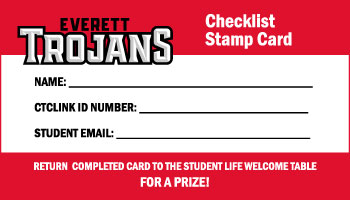
Start at the Student LIFE Welcome Table anytime between 10 am - 3 pm and pick up your Trojan Checklist, campus map, schedule of the day's events, and earn some EXTRA SWAG when you turn in your Checklist Stamp Card!
In-person Checklist Stamp Card

Online
Review the Virtual Checklist below and follow the instructions.
Virtual Checklist
1. Log in to Canvas, Student Email, Starfish, and ctcLink
Find your login and set your password by going to EverettCC.edu/MyAccount.
2. Connect with Tutoring Center, Writing Center & Library Resources
You can access resources in Canvas through the “Resources” button in the Global Navigation (red bar on the left). These free resources include the Library, Writing Center, Tutoring Center, Counseling and Student Success, etc. Most of these resources link to a Canvas space that allows students to get assistance, book appointments, access crucial information and complete tutorials that will assist with your experience at EvCC.
Get step-by-step instructions.
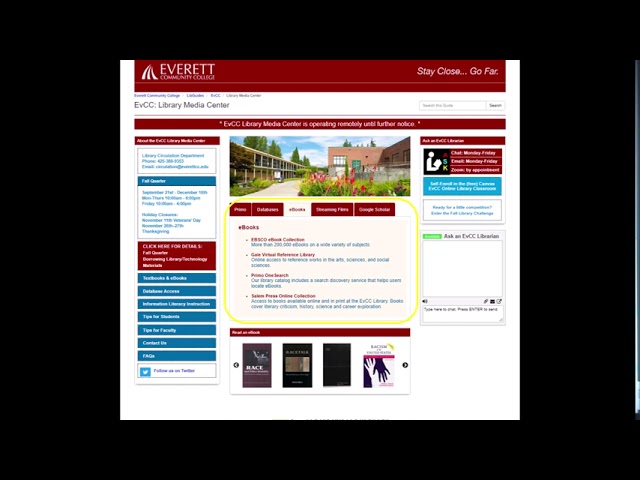
Watch this video for a short tour of the Library Media Center website.
3. Stay Up-to-Date with Emergency Alerts & Social Media
1. How to sign-up for EvCC emergency alerts
- Go to the MyEvCC page
- Log in with your EvCC campus username and password.
- Click on Emergency Notification in the left menu
- Click on the red button that says Login to Emergency Notification Profile
- Update your profile with any info you want to add, including your cell number to get text messages
- Click here for more information about emergency alerts.
2. Follow EvCC Student LIFE and stay up-to-date on free student events, activities, opportunities and giveaways!
Click the icons below to add EvCC Student LIFE.


@EvCClife
4. Find a Club that Interests You!
Check out all the clubs to join and get connected beyond the classroom! Many of the clubs at EvCC are available to join on online platforms like Zoom and provide a great way to meet new people and network. Find one that interests you.
It's easy to join a club, just follow these simple steps!
1. Find a club that interests you.
2. Email a Club Advisor listed above the club description expressing your interest:
" Hi!
I'm interested in joining the (Club Name Here). Could you tell me when the next meeting is?
Thank You,
[Your Name Here] "
3. Attend your first Club Meeting!
5. Check out Virtual Student Services
Student Services are available to virtually help assist students over the phone, tablet or home computer. Visit Zoom.us/resources for more information and help videos. When you select a department, you will be put into a waiting room, and a staff member will be with you as soon as possible.